
The 2026 Webcam Guide: From Budget Starters to 4K Professional Powerhouses
In the rapidly evolving landscape of 2026, the webcam has transcended its status as a mere peripheral. It is now our primary portal to the professional world. However, as our digital presence grows, so does the surface area for privacy vulnerabilities. We no longer just ask for "good video"; we demand professional lighting handling, AI-driven auto-framing, and, most critically, physical privacy guarantees.
Whether you are a remote worker navigating EU privacy standards or a creator in the US, choosing the right lens is the most significant upgrade you can make to your digital presence. In this guide, we've audited the top candidates not just for their megapixels, but for their mechanical integrity.
The Starter Tier: Professionalism on a Budget
The entry-level market in 2026 is no longer about grainy 720p sensors. Today, even budget options deliver respectable 1080p feeds with competent autofocus. The real differentiator at this price point isn't resolution—it's build quality and whether the manufacturer had the foresight to prioritize your privacy in the bill of materials.
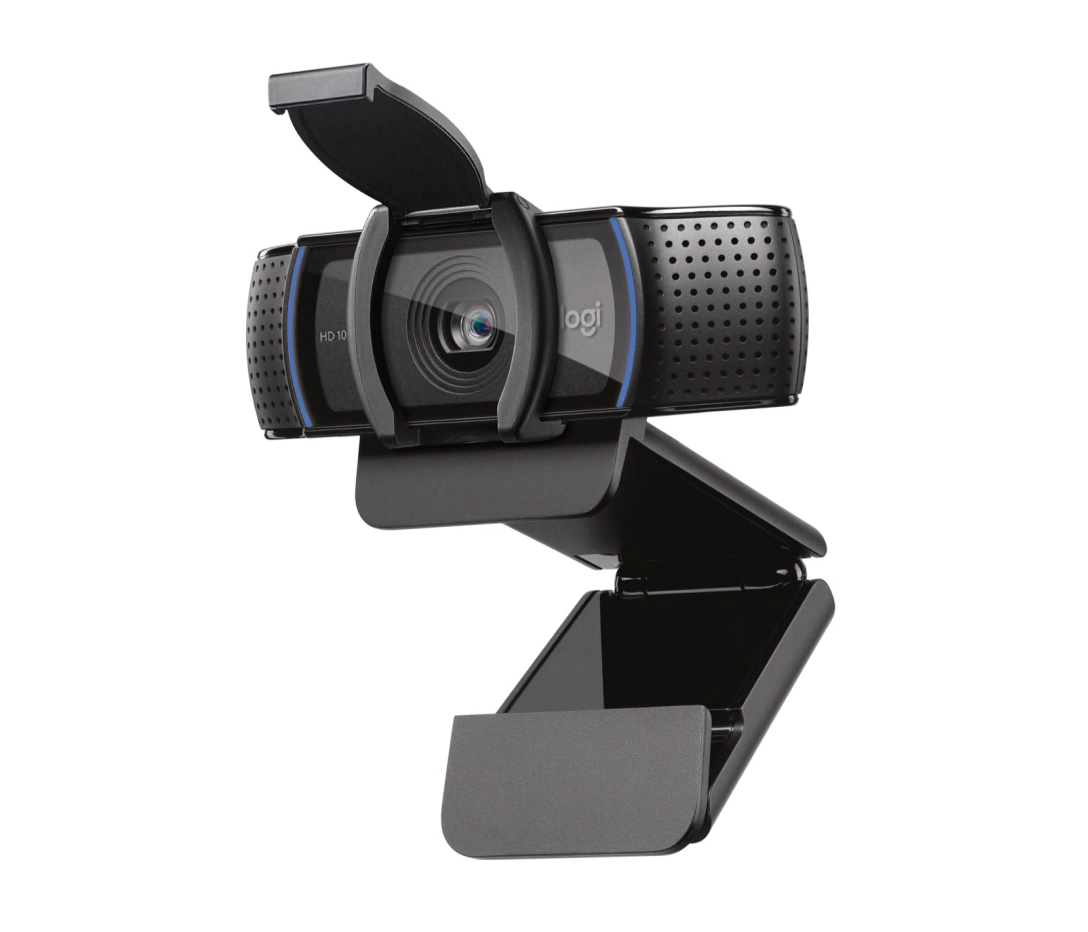
Logitech C920s Pro HD
~$60 / €55 · 1080p/30fps · Built-in Privacy Shutter
The "S" stands for Shutter—and that single letter makes all the difference. This version of the legendary C920 includes a rugged flip-down privacy cover that has become an industry reference point. It's the webcam that has outlived dozens of "fancier" competitors because it does the fundamentals right: consistent color reproduction, reliable autofocus in mixed lighting, and a dual-mic array that sounds clean in untreated rooms.
What makes it special in 2026 isn't its specs—it's its decade of refinement. Logitech has quietly tuned the firmware over 10+ years, and the C920s handles modern hybrid scenarios (ring lights, window backlighting, multiple monitors) with a maturity that newer cameras still struggle with. The flip-cover is robust, tactile, and provides a level of security that software "Privacy Modes" simply cannot replicate.
✅ Privacy Shutter: Integrated flip-down cover. Hardware-level protection.
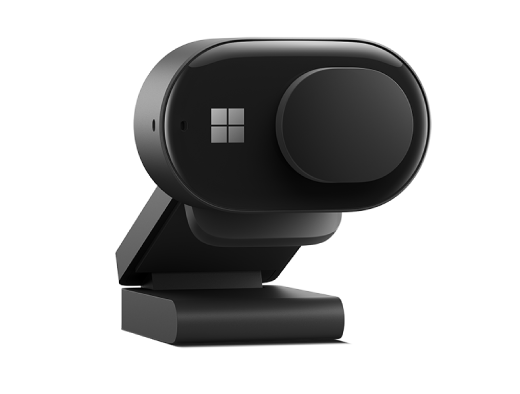
Microsoft Modern Webcam
~$70 / €65 · 1080p/30fps · Built-in Privacy Slide
Microsoft's entry into the dedicated webcam market is a surprisingly polished affair. The design language is unmistakably Surface—minimal, matte-finish, and deliberately understated. But the real star is the physical privacy slide: a satisfying mechanical click that moves a physical barrier over the lens, paired with a visual orange indicator that's impossible to miss even from across the room.
The HDR support is unusual at this price point and makes a noticeable difference in rooms with overhead fluorescent lighting or bright windows behind you. It's particularly strong in Microsoft Teams, where it benefits from native integration for noise reduction and background processing. If your organization is a Microsoft shop, this is the natural choice.
✅ Privacy Shutter: Sliding cover with visible orange indicator. Hardware-level protection.

Razer Kiyo (Standard)
~$50 / €45 · 1080p/30fps · No Privacy Shutter
The Kiyo's signature feature—its integrated ring light—solved a genuine problem for streamers and remote workers stuck in poorly-lit bedrooms and basement offices. The adjustable brightness dial surrounding the lens is genuinely useful and eliminates the need for a separate desk lamp entirely. Image quality in low-light scenarios is noticeably better than competitors at this price.
However, the Kiyo has a critical blind spot in its design philosophy: there is no physical privacy shutter. The ring-light form factor simply didn't leave room for one. For privacy-conscious users, this means relying entirely on software solutions, adhesive covers, or a dedicated tool like ShutterMinder to remind you when the lens is exposed. It's a great camera, but an incomplete privacy tool.
⚠️ Privacy Shutter: None. Requires external cover or software reminder.
The Mid-Range Tier: The Hybrid Professional's Choice
Stepping into the $100–$150 range brings you into the territory of HDR sensors, sophisticated autofocus, and AI-driven features. At this level, we look for "privacy-first" design—where the shutter isn't an afterthought, but a core part of the industrial design.
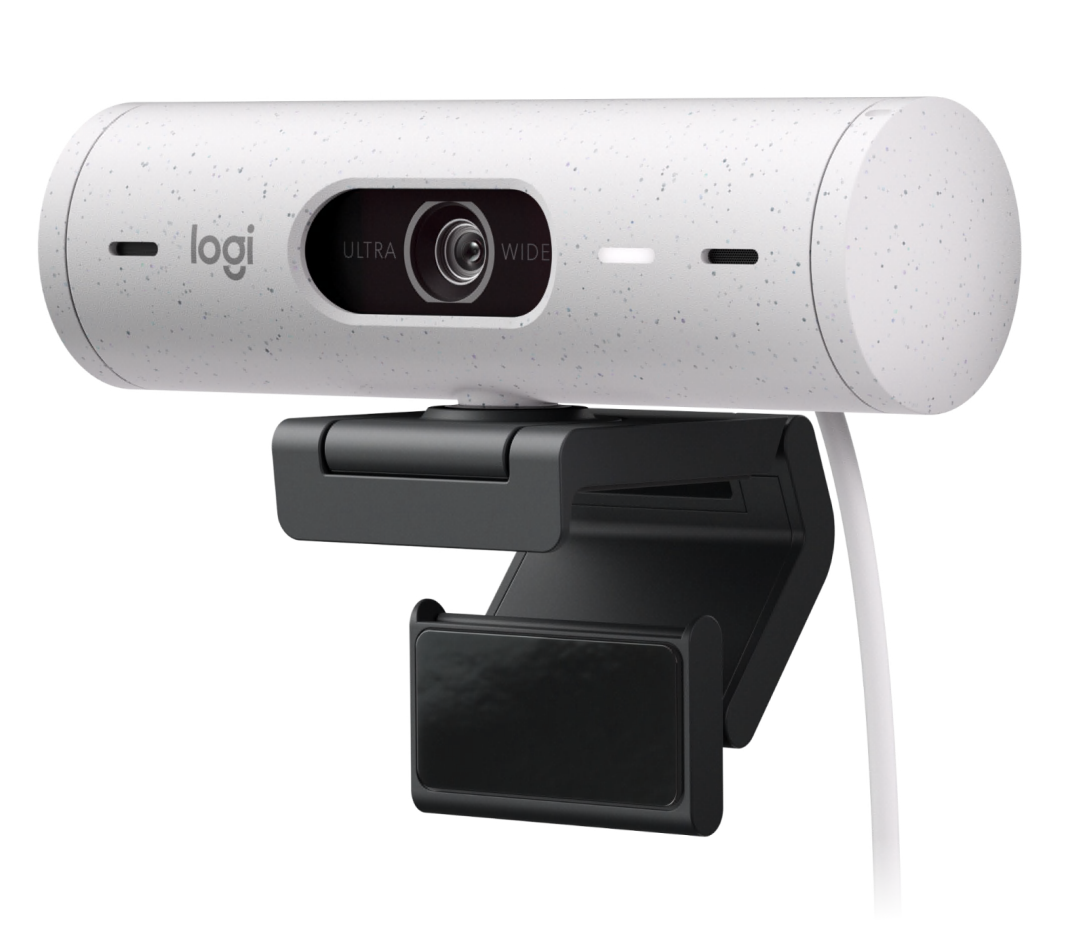
Logitech Brio 500
~$130 / €120 · 1080p HDR/30fps · Integrated Privacy Dial
A masterclass in modern office tech. The Brio 500 features a unique integrated privacy dial built into the side of the housing—a quick twist physically blocks the lens with an internal curtain. It feels less like a webcam accessory and more like a high-end audio component. The 1080p HDR sensor is tuned specifically for the hybrid office: it handles window backlighting, ring lights, and fluorescent ceilings with impressive composure.
The "Show Mode" feature lets you tilt the camera downward to share sketches or documents on your desk—a killer feature for designers and educators. Combined with RightSight auto-framing that keeps you centered without cropping aggressively, this is the most "set and forget" camera in its class.
✅ Privacy Shutter: Twist-dial with internal curtain. Hardware-level protection.
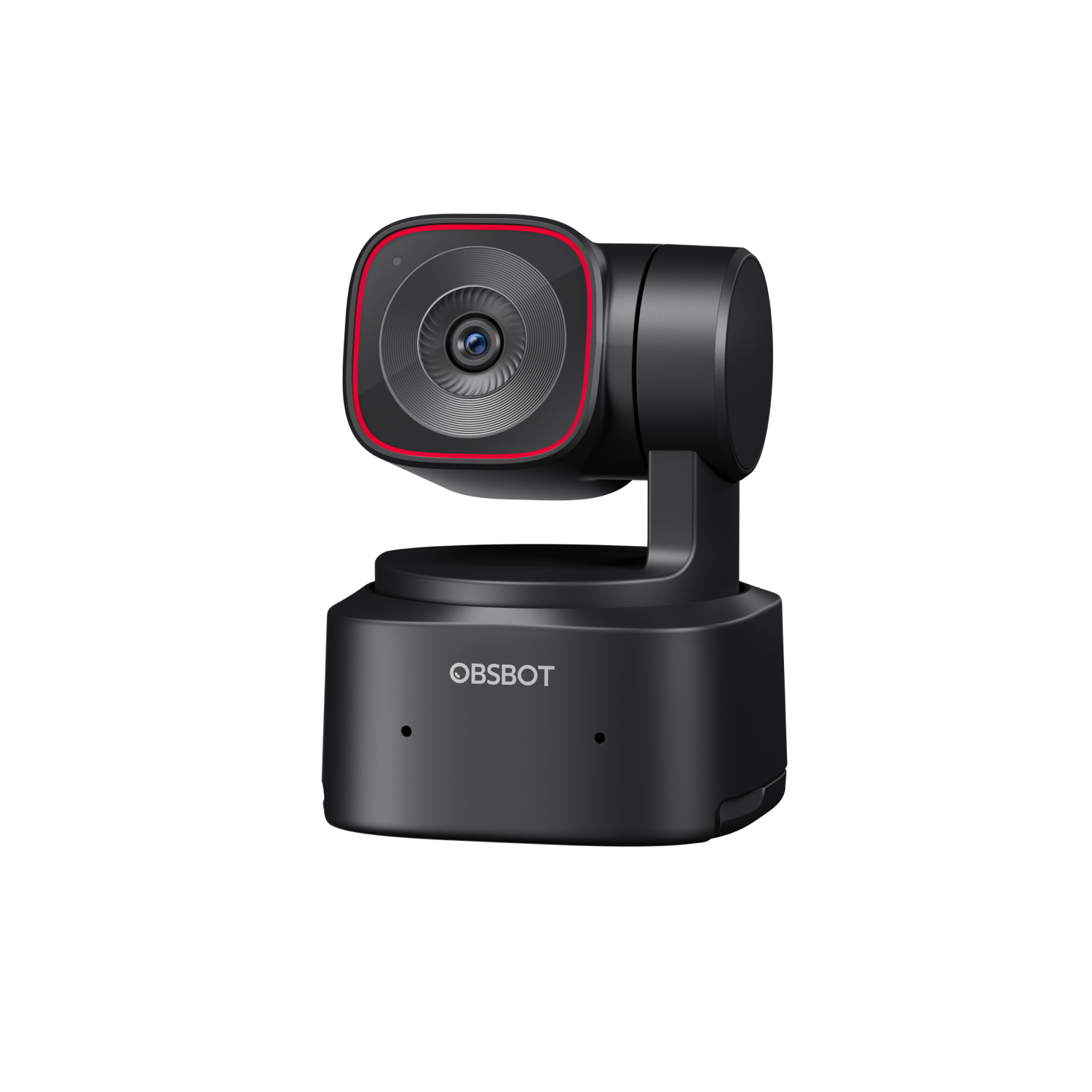
OBSBOT Tiny 2 Lite
~$130 / €120 · 1080p/30fps · AI-Driven Physical "Sleep Mode"
The OBSBOT Tiny 2 Lite takes a radically different approach to privacy. Using AI-driven PTZ (Pan-Tilt-Zoom), this camera physically "sleeps" by tilting its lens vertically into its own base when not in use. It's the most high-tech way to ensure you aren't being watched—the lens physically points at its own housing, making optical surveillance geometrically impossible.
The AI tracking is genuinely impressive: it follows your face smoothly as you move around the room, and the gesture controls let you zoom in or recenter with a hand wave. For presenters, teachers, and anyone who moves during calls, it's a transformative experience.
✅ Privacy Mode: Gimbal physically tilts lens into base. Optical monitoring impossible.
Insta360 Link
~$150 / €140 · 4K/30fps · 3-Axis Gimbal with Sleep Mode
A 3-axis gimbal camera that delivers a genuine 4K image with AI tracking so smooth it feels like having your own personal camera operator. Like the OBSBOT, it physically points its lens straight down after 10 seconds of inactivity—a brilliant passive privacy feature that requires zero user input.
The "Desk View" and "Whiteboard Mode" are particularly well-implemented, making it ideal for educators and workshop facilitators. The gimbal mechanism is whisper-quiet, so it won't distract you or your meeting partners. At its price point, it pushes into high-end territory in terms of image quality.
✅ Privacy Mode: Auto-sleep tilts lens downward after inactivity. Hardware-level.
The High-End Tier: The 4K Powerhouses
At the top of the pyramid, we find sensors that rival entry-level DSLRs—massive glass elements that capture every pore, every expression, every micro-gesture. These cameras are built for professionals who treat their on-camera presence as a craft. But with that level of detail comes an increased need for absolute control over when that lens is active.
Logitech MX Brio 4K
~$200 / €190 · UHD 4K/30fps or 1080p/60fps · Integrated Privacy Shutter
Logitech's flagship for 2026 is a statement piece. The MX Brio features an advanced sensor with 70% larger pixels than its predecessors, delivering stunning low-light performance that makes external lighting almost optional. The aluminum housing feels premium in a way that justifies the price—this is a camera designed for people who care about their tools.
The integrated privacy shutter is a mechanical dial that physically covers the lens with a satisfying tactile click. Combined with dual noise-canceling microphones, "Show Mode" for sharing desk content, and deep Logi Options+ software integration for fine-tuning ISO, shutter speed, and white balance, it's the most complete webcam package money can buy.
✅ Privacy Shutter: Integrated mechanical dial. Hardware-level protection.
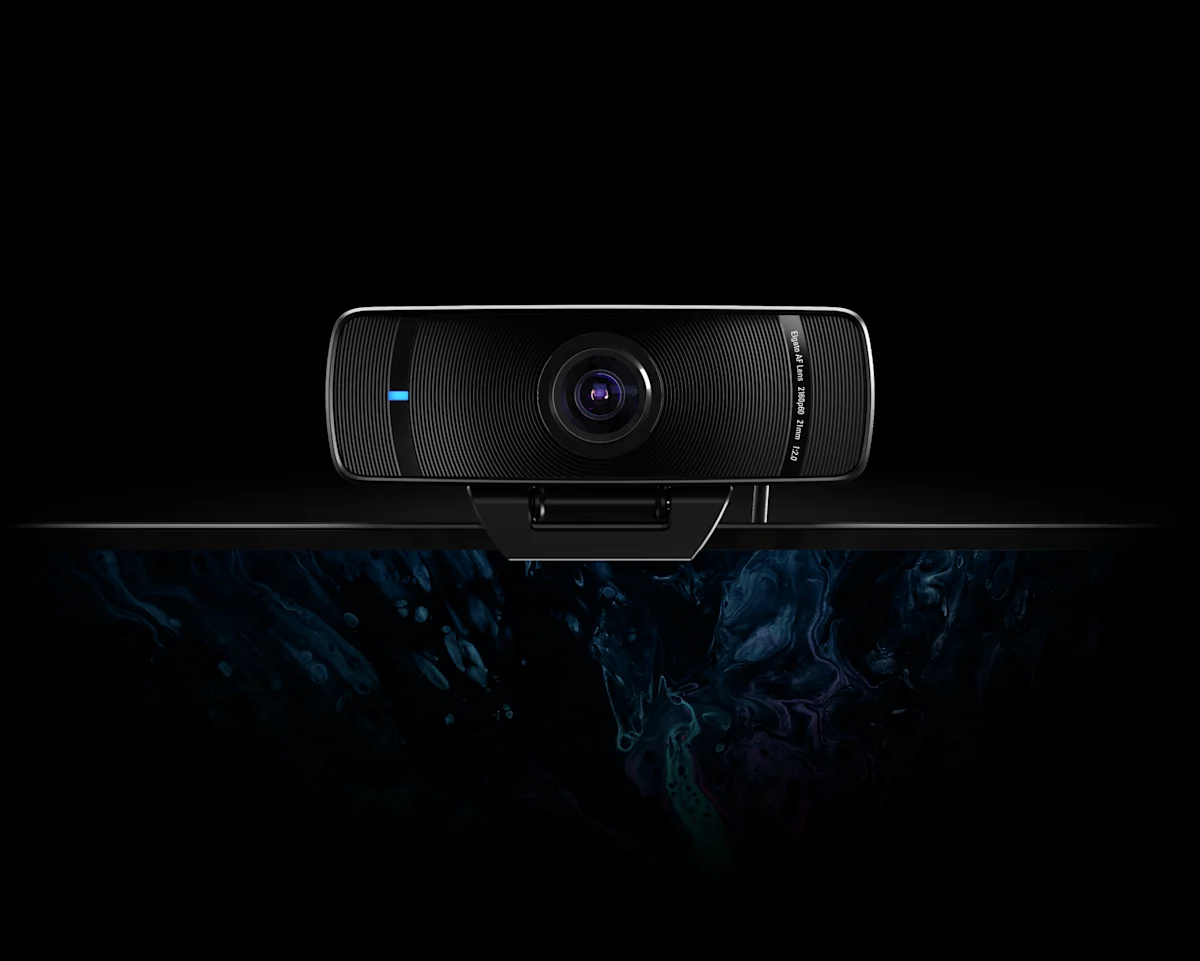
Elgato Facecam Pro
~$300 / €280 · UHD 4K/60fps · No Privacy Shutter
The Facecam Pro is the undisputed performance king—the only webcam on the market offering true 4K at 60 frames per second. For content creators who need buttery-smooth motion, it's in a class of its own. The Sony STARVIS sensor produces broadcast-quality footage, and the f/2.0 wide-angle lens captures a natural field of view without distortion.
However, it has a critical gap: no physical privacy shutter. Elgato prioritized the optical path and form factor over privacy hardware. For a $300 camera that captures this level of detail, the absence of a physical lens cover is a significant oversight. Users will need an external solution, an adhesive slider, a lens cap, or a software tool like ShutterMinder, to maintain privacy hygiene.
⚠️ Privacy Shutter: None. Requires external cover or software reminder.
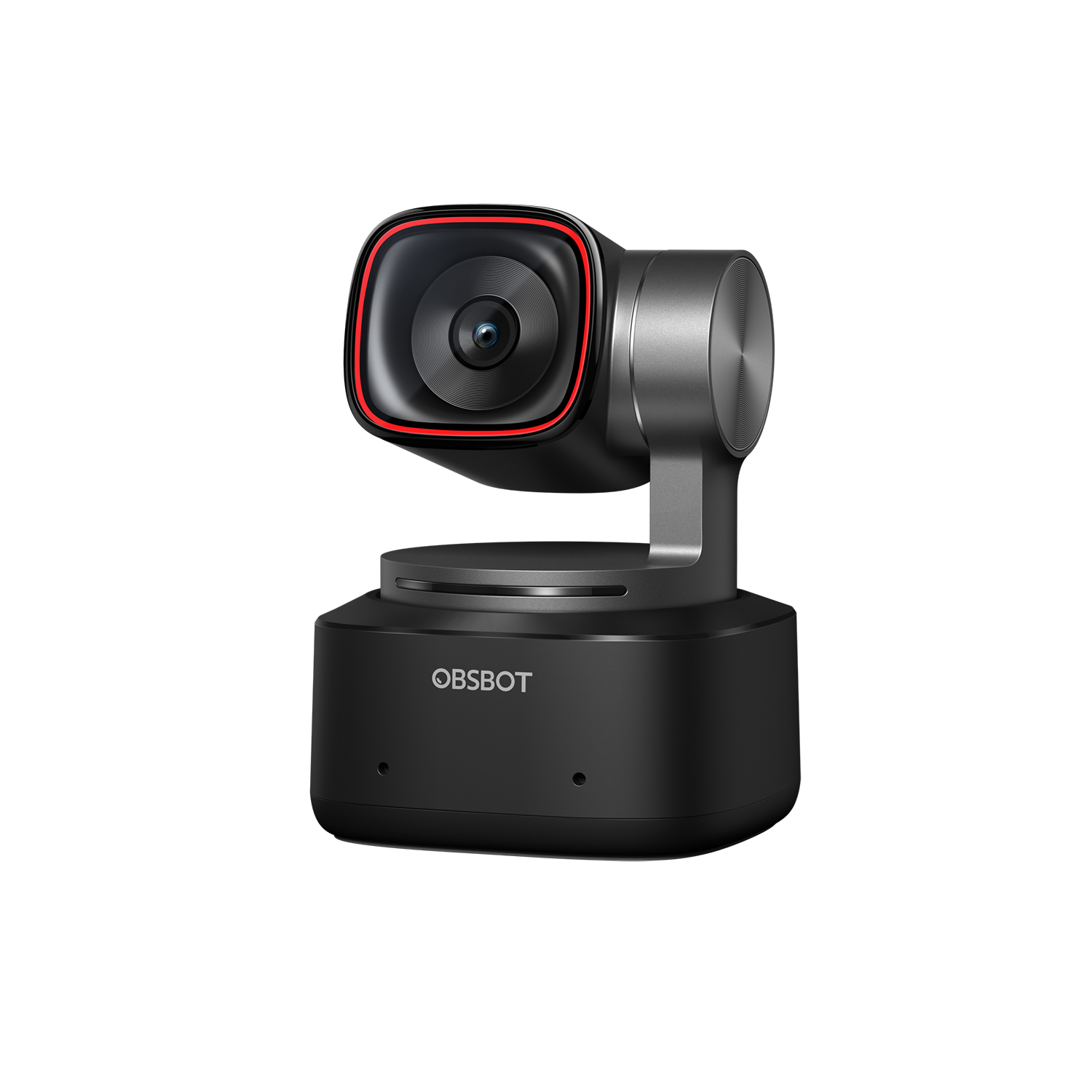
OBSBOT Tiny 2
~$250 / €230 · 4K/30fps · AI-Driven Physical "Sleep Mode"
The full-sized Tiny 2 brings the AI tracking and gimbal privacy of the Lite model up to 4K resolution. The 1/1.5" sensor is enormous for a webcam, and it shows—colors are rich, dynamic range is wide, and skin tones look natural even in mixed lighting. The gesture-based controls feel futuristic: a raised palm pauses tracking, a peace sign triggers zoom.
Its signature "privacy mode"—where the gimbal physically points the lens into its own base—makes hardware-level surveillance impossible without any moving parts or shutters to break. It's the most elegant privacy solution in the entire guide, turning the camera itself into its own lens cap.
✅ Privacy Mode: Gimbal physically tilts lens into base. Optical monitoring impossible.
💡 The Editorial Hack: Beyond the Webcam
Sometimes the best camera is the one that wasn't designed to be a webcam. For the ultimate editorial look, consider these alternative paths that leverage your existing hardware.
The DSLR/Mirrorless Path
Connect a Sony ZV-E10 or Canon EOS via an Elgato Cam Link 4K. You'll get real background blur (bokeh) that AI filters can't touch.
Privacy Audit: Absolute. Putting the physical lens cap on is the most secure "shutter" in existence.
The Smartphone Leverage
Your phone's camera is likely 5x better than any webcam. iPhone users can use Continuity Camera, while Android users should look at Camo by Reincubate.
Pro Tip: Finding a good mount is the biggest hurdle. Look for MagSafe-compatible monitor mounts for the cleanest desk setup.
Your privacy is a choice. Make it a permanent one.
— Adam